
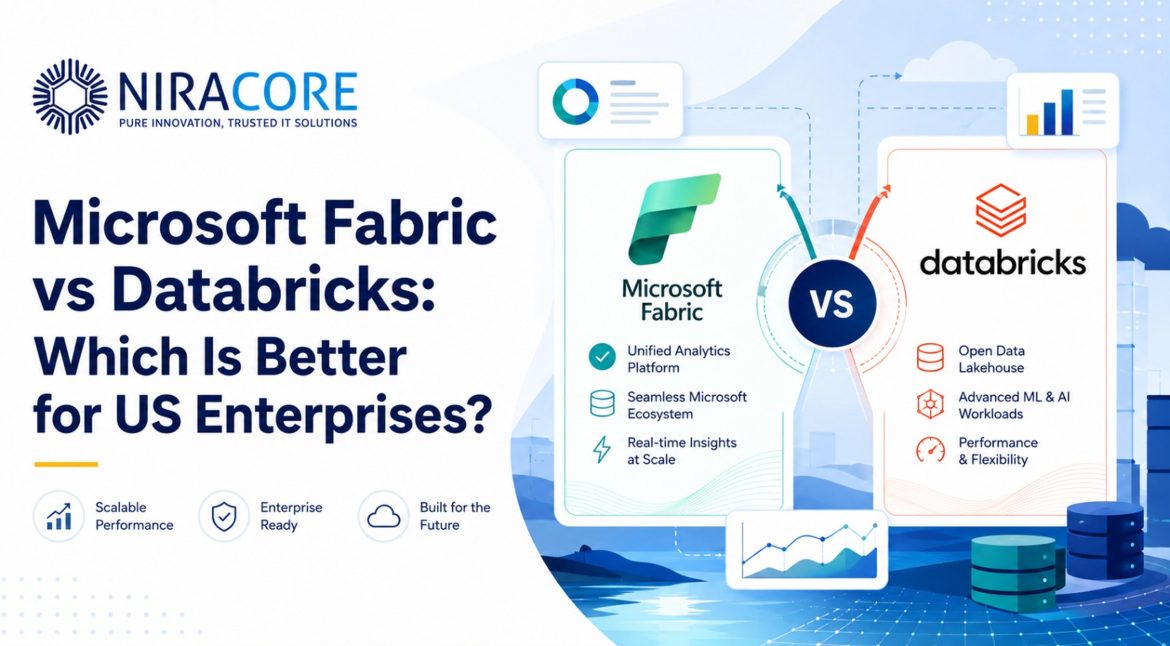
Microsoft Fabric vs Databricks is not just a platform debate. For many US enterprises, it is a decision about operating model, data maturity, AI ambition, reporting speed, cloud strategy and internal skills.
From what we’ve seen across enterprise data projects, the wrong choice usually starts with the wrong question. Leadership teams ask, “Which platform is better?” A better question is, “Which platform fits how our business actually makes decisions?”
Microsoft Fabric feels attractive for companies already invested in Microsoft 365, Azure and Power BI. It brings data engineering, warehousing, real-time analytics, data science and BI into one Microsoft-centered experience. Databricks, on the other hand, is often stronger where data engineering, machine learning, lakehouse architecture and advanced AI workloads are central to the business.
But here’s the challenge. A platform does not fix poor data ownership. It does not clean years of inconsistent reporting logic. It won’t automatically align finance, operations, sales and technology teams. Budget is rarely the biggest obstacle. Alignment between business and technology teams often is.
Why This Matters Now for US Enterprises
US companies are under pressure to make faster decisions with cleaner data. Boards are asking about AI. Operations teams want real-time visibility. CFOs want trusted numbers. Data teams want scalable architecture.
Still, many enterprises are carrying fragmented systems, duplicated pipelines and dashboards nobody fully trusts. This is why the Microsoft Fabric comparison and Databricks comparison matter now.
Where Fabric Makes Strong Business Sense
Microsoft Fabric for enterprises is a strong fit when the business is heavily Microsoft-based and wants faster BI modernization. If Power BI is already widely used, Fabric can reduce complexity for reporting, analytics and business-user adoption.
A mistake many leadership teams make is assuming every analytics problem needs a highly engineered platform. Sometimes the urgent need is simpler: one version of truth, faster dashboards, governed data and better adoption.
Fabric usually suits companies that want tighter integration across BI, data warehousing and analytics without forcing every team into deep engineering workflows.
Where Databricks Usually Has the Edge
Databricks for enterprises is often preferred when data engineering, AI models, large-scale processing, streaming, data science and lakehouse strategy are priorities.
In reality, Databricks tends to shine when the organization has strong technical teams and wants flexibility across complex data environments. It is also a serious option for businesses building predictive models, recommendation engines, customer intelligence platforms or AI-driven products.
For Microsoft Fabric vs Azure Databricks, the answer is not always either-or. Many enterprises may use Fabric for BI and business analytics while using Databricks for advanced engineering and AI workloads.
Common Misconceptions Leaders Should Avoid
One misconception is that Fabric is only for reporting. It is broader than that.
Another is that Databricks is only for data scientists. It can support enterprise analytics, data engineering and AI at scale.
One surprising finding is that tool capability is rarely the deciding factor. Governance, team skills, cost control and adoption decide success more often.
Practical Scenarios
Scenario 1: A healthcare organization has patient, claims and operational data scattered across systems. Fabric may help reporting teams move faster, while Databricks may be better for advanced risk modeling.
Scenario 2: A manufacturing company waits five days for production reports. Fabric can improve executive visibility quickly if the main need is BI. Databricks becomes valuable if sensor data, predictive maintenance and complex pipelines are involved.
Scenario 3: A retail business wants better demand forecasting. Databricks may support advanced forecasting models, while Fabric and Power BI can help store leaders act on insights.
Microsoft Fabric vs Databricks: Best Choice for US Enterprises
Microsoft Fabric vs Databricks has become an important comparison for US enterprises looking to modernize their data strategy, improve analytics performance, and build smarter business intelligence systems. Both platforms offer powerful capabilities for data engineering, data analytics, machine learning, AI workloads, and enterprise-scale decision-making, but they serve different business needs based on architecture, flexibility, ecosystem, and long-term technology goals.
Microsoft Fabric is designed as a unified data and analytics platform that brings together data integration, data engineering, data warehousing, real-time analytics, Power BI, and AI-driven insights into one connected SaaS environment. For US enterprises already using Microsoft tools, Azure, Power BI, Teams, and Microsoft 365, Fabric provides a more familiar and integrated experience. It helps businesses simplify data management, reduce tool complexity, and create a single analytics ecosystem for different departments.
Databricks, on the other hand, is widely known for its open lakehouse architecture, advanced data engineering capabilities, machine learning workflows, and strong support for large-scale AI and data science projects. It is a strong choice for enterprises that need deep technical flexibility, open-source compatibility, scalable data pipelines, and advanced analytics across multiple cloud environments. Databricks is especially useful for organizations with complex data workloads, large engineering teams, and AI-focused innovation goals.
When comparing Microsoft Fabric vs Databricks, US enterprises should carefully evaluate important factors such as existing cloud infrastructure, data volume, analytics requirements, AI and ML use cases, team skill level, integration needs, governance, security, scalability, cost structure, and long-term platform strategy. The right choice depends on whether the business needs a more unified Microsoft-first analytics platform or a highly flexible lakehouse solution built for advanced data engineering and AI workloads.
For many US businesses, Microsoft Fabric may be the better choice when ease of use, Power BI integration, Microsoft ecosystem alignment, and simplified analytics operations are the main priorities. Databricks may be the stronger option when the organization requires advanced data science, complex machine learning pipelines, multi-cloud flexibility, and large-scale lakehouse architecture. By understanding the real differences between both platforms, enterprises can make a smarter technology decision, improve data performance, accelerate AI adoption, and achieve better business outcomes.
1. Platform Architecture
Microsoft Fabric
Microsoft Fabric brings several Microsoft data and analytics services together inside one SaaS-based platform. Instead of managing different tools separately, enterprises get a unified environment where data engineering, warehousing, real-time analytics, reporting, and governance work under one capacity model.
OneLake acts as the common data layer across Fabric, helping different teams access and manage data from a central location.
- Combines Power BI, Synapse, Data Factory, Data Science, and analytics workloads in one platform
- Provides a fully managed SaaS experience with less infrastructure responsibility
- Uses one shared capacity model for analytics, warehousing, data engineering, and BI workloads
Databricks
Databricks follows a lakehouse architecture built around Apache Spark and Delta Lake. Instead of offering one tightly bundled SaaS environment, Databricks gives enterprises a flexible platform that connects with their existing cloud storage and infrastructure.
This approach is useful for businesses that need advanced data engineering, scalable processing, machine learning, and AI-driven workloads.
- Uses a lakehouse architecture that combines data lake and data warehouse strengths
- Built on open technologies such as Apache Spark, Delta Lake, and MLflow
Works with cloud storage like Amazon S3, Azure Data Lake Storage, and Google Cloud Storage
2. Cloud Deployment Options
Microsoft Fabric
Microsoft Fabric runs only on Microsoft Azure. It is delivered as a fully managed SaaS platform, which means Microsoft manages the infrastructure, updates, and platform operations.
This works well for companies already committed to Azure, Microsoft 365, Teams, Power BI, and other Microsoft services. However, it may not be the best fit for enterprises looking for a multi-cloud strategy.
- Available only within the Microsoft Azure ecosystem
- Fully managed by Microsoft with minimal infrastructure setup
- Strong integration with Azure, Microsoft 365, Power BI, and other Microsoft tools
Databricks
Databricks offers more flexibility when it comes to cloud deployment. It is available across AWS, Microsoft Azure, and Google Cloud Platform. This gives enterprises more freedom to choose the right cloud provider based on region, workload, compliance, or cost.
For organizations that want to avoid being locked into one cloud vendor, Databricks can be a strong option.
- Runs natively on AWS, Azure, and Google Cloud Platform
- Offers a similar experience across all supported cloud environments
Supports multi-cloud and cloud-flexible enterprise data strategies
Microsoft Fabric uses OneLake as its central storage layer. You can think of it as a single enterprise-wide data lake designed to connect all Fabric workloads. Teams do not need to create and manage separate storage accounts for every workload.
Fabric stores data in Delta Parquet format and includes performance-focused features that help improve analytics and Power BI reporting.
- OneLake provides a shared storage foundation for all Fabric workloads
- Data is organized through workspaces and Fabric items
- Built-in optimization helps improve performance for Power BI and analytics queries
Databricks
Databricks uses Delta Lake on top of cloud object storage such as S3, ADLS Gen2, or GCS. This gives companies more control over where their data is stored and how it is governed.
For enterprises with strict compliance, regional data rules, or cost-control requirements, this storage flexibility can be important.
- Delta Lake improves reliability, consistency, and version control for cloud data
- Supports historical data access through time travel features
Works with Delta Lake and also supports open table formats like Apache Iceberg
4. Data Integration and ETL
Microsoft Fabric
Microsoft Fabric provides Dataflow Gen2 and pipeline tools for building data integration workflows. Business users who are familiar with Excel or Power Query may find the experience easier to understand.
It supports both low-code and code-based approaches, which makes it suitable for mixed teams where business analysts and data engineers both contribute to analytics work.
- Offers visual pipeline creation with drag-and-drop options
- Includes 200+ connectors for common business systems and data sources
- Uses Power Query, which feels familiar to Excel and Power BI users
Databricks
Databricks is more code-focused and is widely used by data engineers and technical teams. It supports Python, SQL, Scala, and R through collaborative notebooks.
For production-level pipelines, Databricks provides Delta Live Tables, which helps teams build reliable data pipelines with automated dependency handling and data quality checks.
- Notebook-based development for Python, SQL, Scala, and R
- Delta Live Tables supports structured ETL pipeline development
Auto Loader helps ingest new files and incremental data from cloud storage
5. Machine Learning and AI Capabilities
Microsoft Fabric
Microsoft Fabric supports data science and machine learning through Synapse Data Science and integration with Azure Machine Learning. It is useful for standard machine learning workflows, reporting-focused analytics, and AI-assisted productivity inside the Microsoft ecosystem.
Fabric also includes Copilot features that help users write queries, generate code, and explore data using natural language.
- Integrates with Azure Machine Learning for model development and deployment
- Provides notebooks and common ML libraries through Synapse Data Science
- Supports Copilot for natural language queries, code assistance, and productivity
Databricks
Databricks has a stronger position for advanced machine learning, AI model development, and large-scale production ML workflows. With MLflow, teams can manage experiments, track models, deploy them, and monitor performance.
It is especially useful for enterprises building predictive analytics, recommendation engines, large-scale feature engineering, and AI-driven applications.
- MLflow supports experiment tracking, model deployment, and lifecycle management
- Feature Store helps teams reuse and share machine learning features
Supports distributed training for large-scale machine learning and deep learning workloads
How Niracore Helps
Niracore helps enterprises assess, design and implement the right data and AI foundation through Microsoft Fabric Consulting, Data Engineering, Power BI Development, Data Analytics, Business Intelligence, AI Development, Agentic AI Development, Custom Software Development and Digital Transformation services.
Conclusion
Microsoft Fabric vs Databricks is not a generic technology comparison. It is a business decision. The better platform is the one that matches your data maturity, AI goals, reporting needs, governance model and team capability.
FAQs
It depends on the use case. Fabric is often better for Microsoft-heavy BI and analytics environments. Databricks is stronger for advanced engineering, AI and lakehouse workloads.
In some reporting and analytics scenarios, yes. For complex AI, ML and large-scale engineering workloads, many enterprises still prefer Databricks.
Databricks is usually stronger for advanced AI, machine learning and large-scale data science projects.
Yes. Fabric is especially useful when Power BI is already central to business reporting.
Yes. Many companies may use Fabric for BI and Databricks for engineering or AI workloads.