
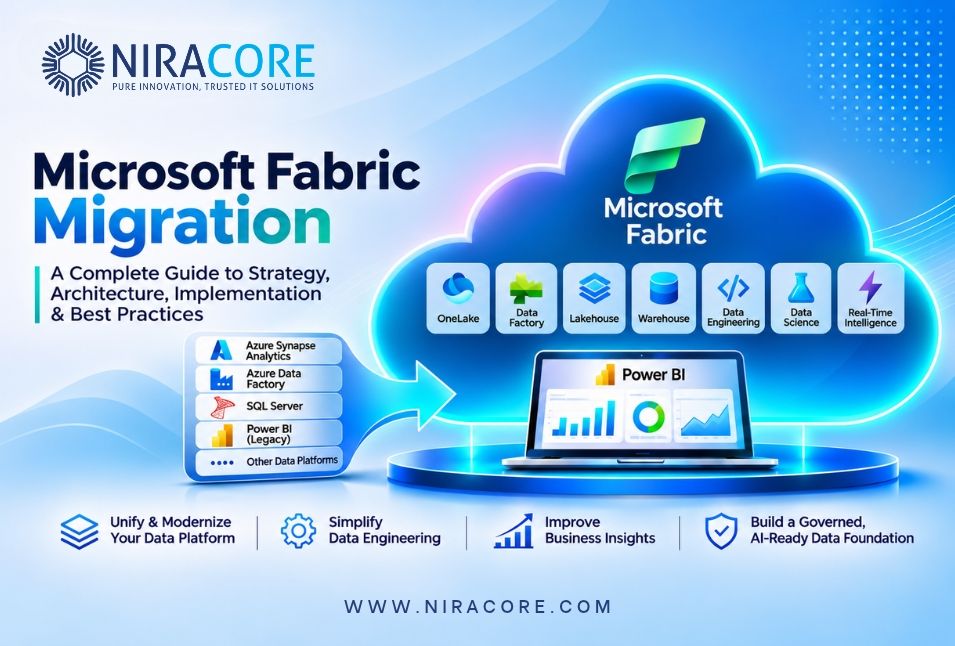
Businesses today generate enormous amounts of data across ERP platforms, CRM applications, cloud databases, operational systems and third-party applications. However, having access to large volumes of data does not automatically translate into better business decisions.
Many organizations still operate with fragmented data architectures involving separate ETL tools, data warehouses, reporting platforms and analytics environments. Maintaining these disconnected systems increases operational complexity, creates data silos and makes it difficult to deliver consistent business insights.
This is where Microsoft Fabric migration becomes an important consideration.
Microsoft Fabric provides a unified analytics platform that brings together data engineering, data integration, data warehousing, data science, real-time analytics and business intelligence. It allows organizations to modernize their existing data infrastructure and establish a more connected approach to enterprise analytics.
However, migrating to Microsoft Fabric is not simply about moving data from one platform to another. It requires careful planning, architecture design, workload assessment, data validation and governance.
In this guide, we explore how organizations can plan and execute a Microsoft Fabric migration, understand the architecture, evaluate migration approaches, address common challenges and build a scalable analytics environment.
Whether your organization is currently using Azure Synapse Analytics, Azure Data Factory, SQL Server, Power BI or a combination of different data platforms, this guide will help you understand the migration journey.
What Is Microsoft Fabric Migration?
Microsoft Fabric migration refers to the process of transitioning an organization’s existing data infrastructure, analytics workloads, data pipelines and reporting solutions into Microsoft Fabric.
The objective is to establish a unified data environment where different teams can access, process, transform and analyze information through integrated services.
Microsoft Fabric combines several capabilities, including:
- OneLake: A unified logical data lake for organizational data.
- Data Factory: Data integration, ingestion and pipeline orchestration.
- Data Engineering: Lakehouse development, Spark processing and notebook-based transformations.
- Data Warehouse: SQL-based enterprise data warehousing.
- Power BI: Business intelligence, semantic models and interactive reporting.
- Real-Time Intelligence: Processing and analyzing streaming and event-driven data.
- Data Science: Machine learning and advanced analytical workflows.
Instead of maintaining several disconnected services, organizations can use these integrated capabilities to build a centralized analytics ecosystem.
For example, an enterprise currently using Azure Data Factory for ingestion, Azure SQL Database for storage, Databricks for processing and Power BI for reporting may evaluate whether selected workloads can be consolidated or modernized within Microsoft Fabric.
The right migration strategy depends on existing architecture, performance requirements, data volumes, integration dependencies and business objectives.
Why Are Businesses Moving to Microsoft Fabric?
Organizations are evaluating Microsoft Fabric because traditional data architectures often become difficult to manage as business requirements grow.
Consider an organization operating across multiple locations with separate operational databases, CRM systems, financial applications and reporting environments. Its data engineering team may need to maintain multiple integration pipelines, storage locations, transformation processes and reporting connections.
This creates several challenges.
1. Fragmented Data Infrastructure
When data engineering, storage, analytics and reporting operate independently, teams spend considerable time managing integrations. Microsoft Fabric provides integrated capabilities that can simplify the overall architecture and reduce unnecessary platform complexity.
2. Increasing Data Engineering Costs
Maintaining multiple platforms can introduce additional infrastructure, licensing, monitoring and operational expenses. A well-planned migration can help organizations evaluate opportunities to consolidate workloads and improve resource utilization. Actual savings depend on workload patterns, licensing, capacity sizing and existing contracts.
3. Limited Data Visibility
Disconnected data systems make it difficult to establish a consistent view of business performance. Using OneLake and shared data assets, organizations can create a more connected foundation for analytics.
4. Growing Demand for Real-Time Analytics
Businesses increasingly require timely insights into sales, inventory, customer activity, logistics and operational performance. Fabric’s Real-Time Intelligence capabilities can support event-driven analytics and streaming data scenarios.
5. Preparing for AI and Advanced Analytics
AI initiatives depend on accessible, reliable and governed data. Microsoft Fabric provides an integrated environment for data engineering, data science and analytics, helping organizations establish the data foundation needed for advanced AI use cases.
Microsoft Fabric Architecture: Understanding the Core Components
Before beginning migration, it is important to understand how Microsoft Fabric organizes data and workloads. The following components play important roles in a typical Fabric implementation.
OneLake – Unified Data Storage
OneLake acts as the central logical data lake for Microsoft Fabric. It provides a common storage foundation where different workloads can access shared data without requiring unnecessary duplication. Organizations can use OneLake to organize data assets and implement a structured approach to enterprise data management.
OneLake shortcuts can also provide access to supported external storage locations without physically copying all the data into OneLake.
Fabric Data Factory – Data Integration and Pipelines
Data Factory provides capabilities for ingesting and orchestrating data from different sources. Organizations migrating from Azure Data Factory can evaluate existing pipelines and identify opportunities to upgrade, redesign or recreate them using Fabric Data Factory.
Typical workloads include database-to-lakehouse ingestion, API-based data extraction, scheduled ETL and ELT workflows, incremental data loading, data transformation orchestration and cross-platform data integration.
Fabric Lakehouse – Flexible Data Engineering
The Lakehouse combines data lake flexibility with structured analytical capabilities. It is particularly useful for organizations processing large datasets through Spark and working with open data formats such as Delta Lake. A Lakehouse architecture can support raw, cleaned and curated data layers.
Fabric Warehouse – Enterprise SQL Analytics
Fabric Warehouse provides a SQL-based analytical environment for structured enterprise data. It is suitable for organizations that need relational data structures, SQL development, analytical queries and enterprise reporting.
Power BI – Business Intelligence
Power BI integrates with Microsoft Fabric to provide reporting, semantic modelling and interactive business intelligence. Organizations can build centralized semantic models and connect business users with consistent data definitions.
Direct Lake can provide a storage mode for supported semantic model scenarios, reducing the need for traditional import-based data movement in suitable architectures. The choice between Direct Lake, Import and DirectQuery should be based on data characteristics, performance requirements and model compatibility.
Microsoft Fabric Migration: Which Existing Platforms Can You Migrate?
One of the most important migration decisions is identifying which existing platforms and workloads should move to Microsoft Fabric. Not every organization requires a complete migration. Some may benefit from migrating selected workloads while retaining existing systems.
Existing platform | Potential Fabric destination |
Azure Synapse Spark | Fabric Spark and Lakehouse |
Azure Synapse Dedicated SQL Pool | Fabric Warehouse |
Azure Data Factory | Fabric Data Factory |
Power BI Dataflows Gen1 | Dataflow Gen2 |
SQL Server | Fabric Warehouse or SQL Database, depending on workload |
Azure Data Lake Storage | OneLake shortcuts or data migration |
Azure Analysis Services | Power BI semantic models |
Databricks | Fabric Lakehouse/Spark for suitable workloads |
These are potential migration paths, not automatic one-to-one replacements. Compatibility, feature parity, workload behavior and operational requirements must be assessed individually.
Azure Synapse Analytics to Microsoft Fabric
Organizations using Azure Synapse Analytics may evaluate migration to Fabric to simplify their analytics architecture. However, Synapse contains multiple workload types, including dedicated SQL pools, Spark pools, pipelines and serverless SQL. Each workload requires a separate migration assessment.
- Spark notebooks may require code adjustments and environment configuration changes.
- Dedicated SQL workloads require SQL compatibility and performance assessment.
- Pipeline activities may need to be upgraded or recreated.
- Existing security configurations and access permissions must be reviewed.
A successful Synapse migration should validate each workload rather than assuming that all components can move without modification.
Azure Data Factory to Fabric Data Factory
Many organizations have invested significantly in Azure Data Factory pipelines. During migration, teams should review existing pipelines, linked services, datasets, integration runtimes and transformation logic. Some components may have supported upgrade paths, while others may require manual redevelopment. A phased migration approach can help reduce disruption to existing production workflows.
SQL Server and Azure SQL Migration
Organizations using SQL Server or Azure SQL can evaluate Fabric Warehouse and other Fabric data services based on their analytical requirements. The migration assessment should consider database size and growth, SQL compatibility, stored procedures, transformation logic, query patterns, data loading frequency, reporting dependencies, security and compliance requirements.
Not every operational database should be moved into an analytical warehouse. Transactional workloads and analytical workloads may require different architectural approaches.
Step-by-Step Microsoft Fabric Migration Strategy
A structured migration methodology helps reduce implementation risks and provides better control over technical and business dependencies.
Step 1: Assess the Existing Data Environment
Start by understanding the current data architecture. Identify all existing data sources, databases, pipelines, transformation processes, reporting solutions and integrations.
The assessment should include existing data platforms and infrastructure; number of databases and data sources; data volumes and historical data requirements; ETL and ELT processes; Power BI reports and semantic models; security and governance policies; performance bottlenecks; and dependencies between applications and reporting systems.
The outcome should be a migration inventory that clearly identifies the scope of work.
Step 2: Define the Target Microsoft Fabric Architecture
Once the existing environment has been assessed, define the target architecture. Determine how data will be ingested, stored, transformed and consumed.
A typical design may use Data Factory for ingestion and orchestration, OneLake as the shared data foundation, Bronze/Silver/Gold logical layers for data refinement, and Warehouse, semantic models, Power BI or data science workloads for consumption.
Important design considerations include choosing Lakehouse or Warehouse based on workload requirements, establishing OneLake storage organization, defining data transformation standards, designing reusable ingestion pipelines, planning semantic model architecture, implementing security and governance, and establishing development and production environments.
Step 3: Prioritize Workloads for Migration
Migrating everything simultaneously can introduce unnecessary risks. Instead, classify workloads according to business criticality, technical complexity, dependencies and migration readiness.
Workload | Priority | Migration approach |
Non-critical reporting | High | Pilot migration |
Historical analytics | Medium | Phased migration |
Core financial reporting | Critical | Parallel validation |
Complex Spark workloads | Medium | Compatibility assessment |
Workload | Priority | Migration approach |
Operational integrations | Critical | Dependency-led migration |
Begin with a manageable workload that allows the team to validate the target architecture. Once the pilot is successful, use the lessons learned to migrate additional workloads.
Step 4: Migrate Data Engineering Pipelines
Data engineering is one of the most important parts of the migration process. Existing pipelines may contain complex business rules, incremental loading logic, dependencies and error-handling mechanisms. Simply recreating pipelines without understanding their functionality can result in data inconsistencies.
A recommended approach includes inventorying existing ETL and ELT pipelines, identifying source-to-target mappings, reviewing incremental loading strategies, rebuilding or upgrading supported pipelines, refactoring unsupported or inefficient transformations, implementing data quality validations, and testing pipeline execution and failure recovery.
For complex transformation requirements, Fabric notebooks and Spark can provide additional flexibility.
Step 5: Implement the Medallion Architecture
The Medallion Architecture is a common approach to organizing data within a Lakehouse. It separates data into three logical layers.
Bronze Layer – Raw Data: Stores source data in its original or minimally processed form.
Silver Layer – Cleaned Data: Applies data cleansing, standardization, validation and transformation rules.
Gold Layer – Business-Ready Data: Contains curated datasets designed for reporting, business intelligence and analytical consumption.
For example, a retail organization can ingest sales transactions into Bronze, standardize product and customer records in Silver, and create business-ready sales and profitability datasets in Gold. This layered approach improves data organization, traceability and maintainability. However, organizations should avoid introducing unnecessary layers when a simpler architecture is sufficient.
Step 6: Migrate Power BI Reports and Semantic Models
Migrating the data platform is only one part of the process. Existing reporting solutions must also continue delivering reliable business insights.
Before moving reports, review existing Power BI datasets and semantic models, DAX calculations and measures, Power Query transformations, relationships and data model design, row-level security, refresh schedules, report dependencies and performance requirements.
Where appropriate, organizations can evaluate Direct Lake to improve access to supported Lakehouse or Warehouse data. All critical business calculations and reporting outputs should be validated against the existing environment before production cutover.
Step 7: Implement Security and Governance
Enterprise migration requires more than technical implementation. Organizations must ensure that sensitive information remains protected and that users have appropriate access.
Important governance considerations include workspace roles and access management, row-level and object-level security, data classification, sensitivity labels, data lineage and ownership, monitoring and auditing, data quality standards and regulatory requirements.
Microsoft Purview and Fabric’s native governance capabilities can support data discovery, protection and governance workflows. Security should be designed from the beginning rather than treated as a final implementation task.
Step 8: Validate, Optimize and Go Live
Before production cutover, conduct comprehensive testing. Compare the migrated environment against the existing platform to ensure that business-critical outputs remain accurate.
Validation should cover source-to-target record counts, data reconciliation, transformation accuracy, SQL and Spark execution, pipeline reliability, Power BI report calculations, security permissions, performance benchmarks and refresh completion times.
Once validation is successful, plan the production cutover and establish monitoring procedures. Do not decommission the existing platform until critical dependencies have been migrated and stakeholders have approved the results.
Common Microsoft Fabric Migration Challenges and How to Address Them
Even with a structured strategy, migration projects can encounter technical and operational challenges.
Common challenge | Recommended solution |
Complex legacy architecture | Conduct dependency and workload assessment before migration |
Data quality inconsistencies | Implement validation and reconciliation processes |
SQL compatibility issues | Review unsupported features and refactor SQL logic |
Spark notebook incompatibility | Test libraries, runtime settings and APIs |
Pipeline migration gaps | Evaluate activity compatibility and rebuild where necessary |
Performance issues | Benchmark workloads and optimize storage and execution patterns |
Security configuration differences | Redesign access controls and validate permissions |
Unexpected capacity costs | Monitor utilization and optimize capacity allocation |
User adoption challenges | Provide training and operational documentation |
One important consideration is that Microsoft Fabric is not a direct replacement for every existing Azure service. Organizations should evaluate each workload independently and determine whether migration, modernization or continued operation on the existing platform is the best decision.
Microsoft Fabric Migration Cost: What Should Businesses Consider?
Cost is one of the most important factors when evaluating a migration project. Although Microsoft Fabric can simplify parts of the analytics architecture, the total cost depends on multiple factors.
1. Fabric Capacity and Licensing
Fabric capacity provides computational resources for supported workloads. Capacity requirements depend on the volume of data processed, concurrency, refresh frequency and workload complexity.
Organizations should evaluate their usage patterns before selecting a capacity configuration.
2. Data Storage
Storage requirements depend on the amount of historical data, retention policies, file formats and data growth. Organizations should also assess existing storage arrangements and OneLake usage.
3. Migration and Implementation Effort
Migration costs can vary significantly depending on the number of existing pipelines, complexity of transformation logic, number of databases, volume of historical data, Power BI report dependencies, custom integrations, and security and governance requirements.
4. Ongoing Maintenance
After migration, organizations need resources for monitoring, troubleshooting, performance optimization and governance. A realistic cost model should include these ongoing operational activities.
5. Training and Knowledge Transfer
Teams may require training to work effectively with Fabric’s Lakehouse, Warehouse, Spark, Data Factory and Power BI capabilities.
Microsoft Fabric Migration Best Practices
Organizations can improve migration outcomes by following a few practical principles.
- Start with a clear migration roadmap. Define business objectives, scope, timelines and measurable success criteria.
- Avoid unnecessary lift-and-shift migration. Use migration as an opportunity to remove redundant pipelines and improve inefficient data models where appropriate.
- Establish consistent data standards. Define naming conventions, transformation patterns, data ownership and validation procedures.
- Implement security early. Plan workspace access, permissions, data protection and governance before production deployment.
- Optimize workloads continuously. Monitor capacity consumption, query execution and pipeline performance after migration.
- Maintain development and production separation. Use appropriate workspace strategies, versioncontrol and deployment processes.
- Validate business outcomes, not just technical completion. A successful migration should deliveraccurate reporting, reliable pipelines and measurable operational improvements.
When Should You Hire a Microsoft Fabric Consulting Partner?
Microsoft Fabric provides a wide range of capabilities, but designing and implementing an enterprise-ready platform requires experience across multiple technical areas.
Organizations may benefit from consulting support when migrating complex Azure Synapse or Azure
Data Factory environments; modernizing legacy SQL Server data warehouses; designing scalable
Lakehouse and Warehouse architectures; rebuilding enterprise ETL and ELT pipelines; optimizing Power BI semantic models; implementing data governance and security; evaluating Fabric capacity and performance; or integrating advanced analytics and AI workloads.
An experienced Microsoft Fabric consulting partner can help organizations assess their existing infrastructure, identify migration risks and develop an implementation roadmap aligned with business objectives. The right partner should understand both the technical architecture and the business processes that depend on the data.
How Niracore Helps Businesses Modernize Their Data Platforms with Microsoft Fabric
At Niracore, we help organizations modernize their data infrastructure through business intelligence, data engineering, cloud integration and analytics solutions.
Our approach focuses on building practical, scalable and maintainable data platforms rather than simply moving workloads between technologies.
Microsoft Fabric Architecture and Consulting
We help evaluate existing data environments and design target architectures using OneLake, Lakehouse, Warehouse and Power BI.
Data Engineering and Pipeline Development
We develop data ingestion and transformation workflows using Microsoft Fabric, Azure Data Factory, Python, SQL and Spark.
Azure Synapse and Data Platform Modernization
We assess existing analytics workloads and identify suitable migration and modernization opportunities.
Power BI and Semantic Model Optimization
We help organizations build reliable semantic models, improve DAX calculations and optimize reporting performance.
Data Governance and Platform Optimization
We support security planning, data quality, workload monitoring and platform optimization.
Our objective is to help businesses establish a reliable data foundation that supports reporting, advanced analytics and future AI initiatives.
Planning a Microsoft Fabric migration?
Whether you are moving from Azure Synapse, modernizing Azure Data Factory pipelines or building a new enterprise analytics platform, Niracore can help you evaluate the right approach.
FAQs
Microsoft Fabric migration is the process of transitioning existing data platforms, pipelines, analytical workloads and reporting environments into Microsoft’s unified analytics platform. It can involve migrating data from SQL Server, Azure Synapse, Azure Data Factory and other supported platforms.
Yes. Different Synapse workloads have different migration paths. Spark pools, notebooks, dedicated SQL pools and pipelines require separate assessments, compatibility checks and validation before migration.
Microsoft Fabric Data Factory provides integrated data integration and orchestration capabilities. Existing Azure Data Factory workloads can be evaluated for upgrade or migration. However, organizations should assess pipeline compatibility and requirements before deciding to move.
OneLake is the unified logical data lake for Microsoft Fabric. It provides a common foundation for storing and accessing data across Fabric workloads.
A Lakehouse combines data lake storage with analytical capabilities and supports Spark-based engineering workflows. A Warehouse provides a SQL-oriented analytical environment for structured data and enterprise reporting.
Migration timelines depend on data volume, workload complexity, integration dependencies, reporting requirements and security considerations. A smaller environment may be migrated in stages over a shorter period, while complex enterprise environments may require a longer phased program.
Microsoft Fabric provides capabilities for enterprise analytics, data engineering, warehousing, business intelligence and real-time intelligence. Suitability depends on workload requirements, architecture, capacity planning, governance and integration needs.
Costs depend on Fabric capacity, storage, data volumes, migration complexity, implementation effort, licensing and ongoing maintenance. A technical assessment is recommended before preparing a migration budget.
Existing Power BI reports and semantic models can often continue working with Fabric data sources, but their connections, refresh processes, security and calculations may require changes. Each critical report should be tested before production cutover.
A consulting company can help evaluate migration readiness, design the target architecture, modernize pipelines, implement governance and validate performance. This can reduce implementation risks and help businesses make better technology decisions.